
The Winuza app is not a file you pick up from a store: according to the pages published at winuza.org, the mobile version is a progressive web app that runs in the phone browser and can be pinned to the home screen on both Android and iOS. This independent page explains what that means in practice, how to set it up step by step, which risks come with third-party files and which payment methods work from a phone. Players must be 18 or older, and the facts below were checked on 12 November 2026.
Mobile gambling makes it easy to play at any hour, so set a deposit limit and a time limit before you start. Free advice is available from GambleAware or the National Gambling Helpline on 0808 8020 133.
Is a Winuza Casino App Necessary?
For most players the answer is no. A progressive web app is a website that behaves like an installed program: it has an icon, opens full screen and loads the same lobby as the desktop version. Nothing has to be downloaded from a store, and nothing remains on the phone except a shortcut and the browser's cached files.
Winuza mobile access also keeps one account across devices. The same email and password work on a phone and on a computer, and a balance changed on one device is visible on the other.
Winuza APK Safety and Permissions
Searches for this kind of file lead to a lot of third-party pages, and that is the main risk of the topic. The brand's mobile page describes the browser-based Winuza app and does not offer an APK, so this page does not link to any .apk file and recommends against installing one from an unknown source.
An APK from outside the operator's own pages can carry malware, a changed payment screen or a copy of the login form that sends your password to someone else. Android also asks you to allow installation from unknown sources, which weakens the phone's protection for every other file.
A few warning signs apply to any gambling file:
- The file asks for access to SMS, contacts, call history or the camera without a clear reason.
- The download page uses an address that only resembles the brand's name.
- The size or version number changes between downloads of the same file.
- The installer asks you to disable your security software.
If any of these appear, stop and delete the file. A browser shortcut needs no special permissions, and a notification prompt, if you see one, can be refused without losing any function.
Mobile Lobby Menu, Search and Filters
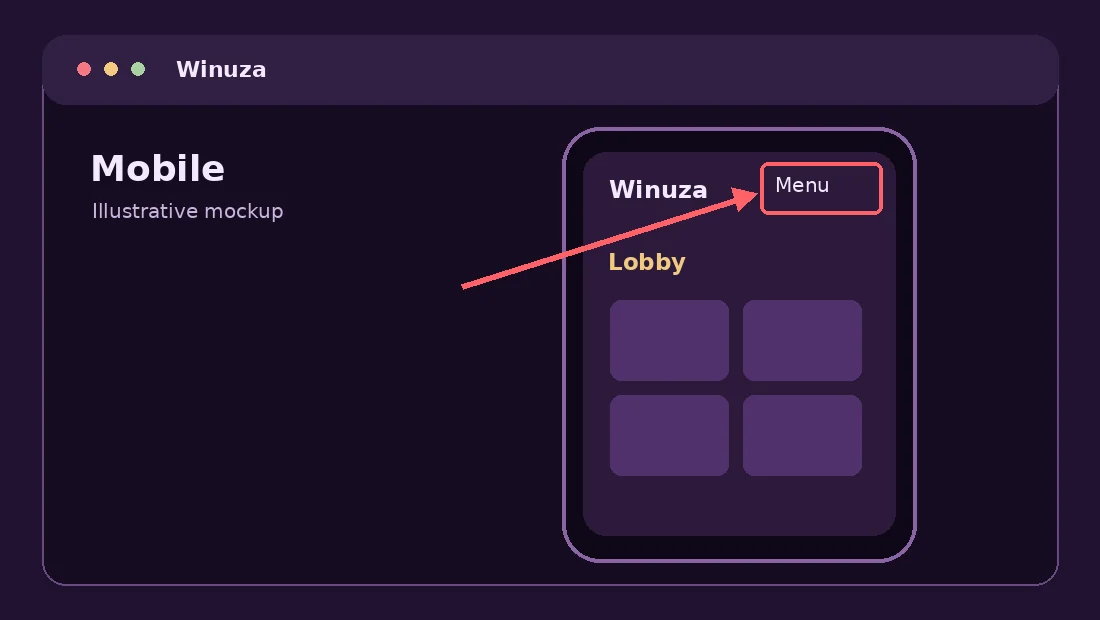
The mobile layout follows the desktop structure in a compact form. The annotated screenshot on this page highlights the menu button, which opens the main sections such as the game lobby, promotions, the cashier and support. Leave the menu open for a moment to see where each section sits before you place a first deposit.
Because there is no Winuza download to wait for, the lobby opens within seconds of tapping the icon. Game search and category filters matter more on a small screen, because the catalogue holds 8,000+ games. Use the category buttons for slots, live games and crash titles, then narrow the list by provider if you know the studio. Tapping a card opens the game, and demo mode is offered on cards marked as demo. Winuza iOS users see the same layout in Safari, only with the home-bar gesture replacing the Android back button.
Pay attention to the account area as well. The balance, active bonuses and wagering progress are visible there, which makes it the best place to check how much of a bonus is still to be played through.
Installing Without a Store What It Means
When players say they want a Winuza app download, they usually expect a button that installs the program. On this brand the equivalent is the home-screen shortcut, and the section below shows exactly how to create it. The result looks like an app icon and behaves like one.
There is no download size to worry about in the usual sense, because the browser keeps the files it needs in its own cache. Updates arrive automatically: when the site changes, the shortcut opens the new version the next time you launch it.
The trade-off is that a web app depends on a working connection and on the current browser version. Keep the browser updated, and if the shortcut ever opens a blank page, delete it and add it again from the current address, as described on the current address page.
Fast Deposits From Your Phone
The mobile cashier of the Winuza casino app shortcut offers the same list of methods as the desktop version. Deposits accept Visa, Mastercard, Maestro, bank transfer, iDEAL, Rabobank, ING, ABN AMRO, Revolut, Apple Pay, Paysafecard and cryptocurrencies. On an iPhone, Apple Pay is the quickest option when it appears in your cashier.
| Item | Detail |
|---|---|
| Account currencies | EUR, USD, GBP, USDT, BTC, ETH, LTC |
| Minimum deposit | 20 EUR, USD, GBP or USDT; 0.0001 BTC; 0.01 ETH; 0.01 LTC |
| Promotions | Deposit of €20 or more |
| Withdrawals | Bank transfer, Mastercard, Visa, crypto |
Anyone who prefers a Winuza APK download for faster payments gains nothing, because the cashier is the same page. Make your first deposit on a trusted network, check the amount twice and confirm the payment in your banking app if it asks. Do not type card details on public Wi-Fi, and never send a payment to a person who contacts you in a messenger and claims to represent the brand.
APK Myths and Facts
Because this search is so common, it helps to separate rumour from fact. The first myth says that an APK makes the Winuza app pay better odds or bigger bonuses. It does not, because game results are produced on the provider's servers and bonuses depend on account rules.
The second myth says that an APK is faster. A well-built web app loads in the same time as an installed one on a modern phone, and the cashier and lobby are served from the same place.
The third myth says that an APK is the only way to be safe from blocking. Access depends on the domain, not on the way you open it. The safe route is to confirm the address through the brand's support email or live chat, as explained on the access page, and then save it.
Winuza Android Installation Steps
On Android the browser-based version installs in about a minute. The steps below use Chrome, and other browsers offer a similar menu entry.
- Open the current Winuza address in Chrome on your phone, after confirming it through the brand's support channels.
- Tap the three-dot menu in the top corner of the browser.
- Choose Add to Home screen or Install app, depending on the Chrome version.
- Confirm the name and tap Add.
- Open the new icon, log in with your email and password, and allow notifications only if you want them.
No permission to install from unknown sources is needed, so leave that setting off. If the menu does not show the option, reload the page once and wait a few seconds, because the browser offers the choice only after the page has fully loaded. Anyone who searches for a Winuza download on Android usually has this exact problem.
Winuza iOS (iPhone) Guide
On an iPhone or iPad the shortcut has to be created in Safari. Other iOS browsers can limit the Add to Home Screen function, so use Safari for the setup.
- Open the current Winuza address in Safari.
- Tap the Share button, the square with an arrow, at the bottom of the screen.
- Scroll down and choose Add to Home Screen.
- Confirm the name and tap Add in the top corner.
The Winuza app icon appears next to your other apps and opens the lobby in full screen. This answers the usual iPhone question: there is no store listing to search for, and a result that claims otherwise should be treated with caution. If you update iOS, test the shortcut once and re-create it if it stops opening.
Mobile Browser, PWA and APK Compared
The three ways to reach a gambling site on a phone differ in convenience and risk, and a Winuza app download is only one of them. The table compares them using what the brand describes and common technical behaviour.
The browser opens the site directly. The home-screen shortcut saves a launch icon for the same web service. An APK is a separate Android package and needs its own verified source.
| Option | How you start | Updates | Main point |
|---|---|---|---|
| Mobile browser | Type or open the saved address | Automatic | No setup; the address must be checked each time |
| PWA shortcut | Add to home screen from the browser | Automatic | Icon and full-screen view; described on the brand's mobile page |
| Winuza APK download | Download and install a file | Manual | Not offered on this site; files from unknown sources are risky |
The browser and the shortcut run the same code, so the choice is about habit. The APK row is shown only because many players ask about it, and the safest conclusion is to avoid it unless the brand itself publishes one on a verified page.
Mobile Data and Battery Use
Using the Winuza casino app shortcut for the lobby takes a modest amount of data, because pages and thumbnails are cached after the first visit. Live dealer streams are different: video runs continuously, so a long session on mobile data can use a lot. Switch to Wi-Fi for live tables and keep an eye on your plan.
Battery use follows the same logic. Slot animations and live video keep the screen and processor busy, so a phone can warm up in long sessions. Lowering the screen brightness, closing other apps and using a charger during long sessions all help.
A few settings reduce both costs:
- Turn off autoplay for videos in the browser when possible.
- Close tabs you are not using.
- Avoid playing while the phone is in battery saver mode, because it can slow animations and interrupt streams.
Winuza Mobile Troubleshooting
Most mobile problems have a simple cause. The table lists the common ones and a first step for each.
| Problem | Likely cause | What to do |
|---|---|---|
| Shortcut opens a blank page | Old address or cache | Delete the icon, open the current address and add it again |
| Login fails | Wrong email or password, or caps lock | Check the email, use the password reset link |
| Game does not start | Weak connection or outdated browser | Switch network, update the browser and reload |
| Page looks stretched | Zoom or text size setting | Reset browser zoom and reopen |
| Payment screen closes | Banking app timeout | Return to the cashier and check the transaction before retrying |
Players on Winuza Android phones should also check that the browser is the latest version. If none of this helps, contact live chat with a screenshot and the time of the problem. Mention the phone model and browser version, because support can only guess without them.
Live Games on Your Phone
The live catalogue of 1,000+ games works on mobile in the same way as on desktop. Streams come from studios such as Evolution, Ezugi, Lucky Streak and Pragmatic Play Live, and each table shows its own stake range. Hold the phone in landscape mode for roulette and blackjack so that the betting layout is readable.
Live play is time-sensitive. A betting window closes after a few seconds, and a weak connection can make you miss it or see a delayed picture. Winuza iOS players should keep the phone unlocked while a round runs. Test the connection with a small stake before you sit at a table, and never keep playing after a stream freezes without checking the result in the game history.
The same warning applies to any feature that looks like sports betting: promotions mention freebets, but this page does not describe a sportsbook. Use the game lobby and the rules shown inside each game as your guide.
Frequently asked questions
Is there a Winuza app?
Winuza offers a progressive web app instead of a store download. You open the site in Chrome or Safari and add a shortcut to the home screen. The Winuza app download is therefore just a few taps, and the icon opens the same lobby as the desktop version, with the same account.
Where can I download the Winuza APK?
This page does not link to any APK, and the brand's mobile page describes the browser-based version. Files labelled this way on other sites come from unknown sources and can carry malware or fake login forms, so the safe choice is the home-screen shortcut.
How do I use Winuza on iPhone?
Open the current address in Safari, tap the Share button, choose Add to Home Screen and confirm. The icon then opens the lobby in full screen. Log in with the same email and password you use on a computer, and use Apple Pay in the cashier if it is offered.
Are all games available on mobile?
Most of the catalogue runs in the mobile browser, including slots, crash titles and live tables. Availability can differ by device, browser and country, so a title seen on desktop may be missing on a phone. Use the search box or the provider filter to check a game before planning a session.
The Winuza app is best understood as a web shortcut: it is quick to set up, needs no special permissions and avoids the risks of unknown files. Treat any APK offer as a warning sign, keep your browser updated and use the same account on every device, whether you open the shortcut at home or on the move, and return to the responsible gaming tools whenever the session stops being fun.
Play only if you are 18 or older and stay within the limits you set. The responsible gaming page explains the available tools, and the login and registration guide covers account access from a phone.